Introducing invoixPro POS Counter: Instant Retail Billing, Real-Time Product Search & Advanced Financial Reports
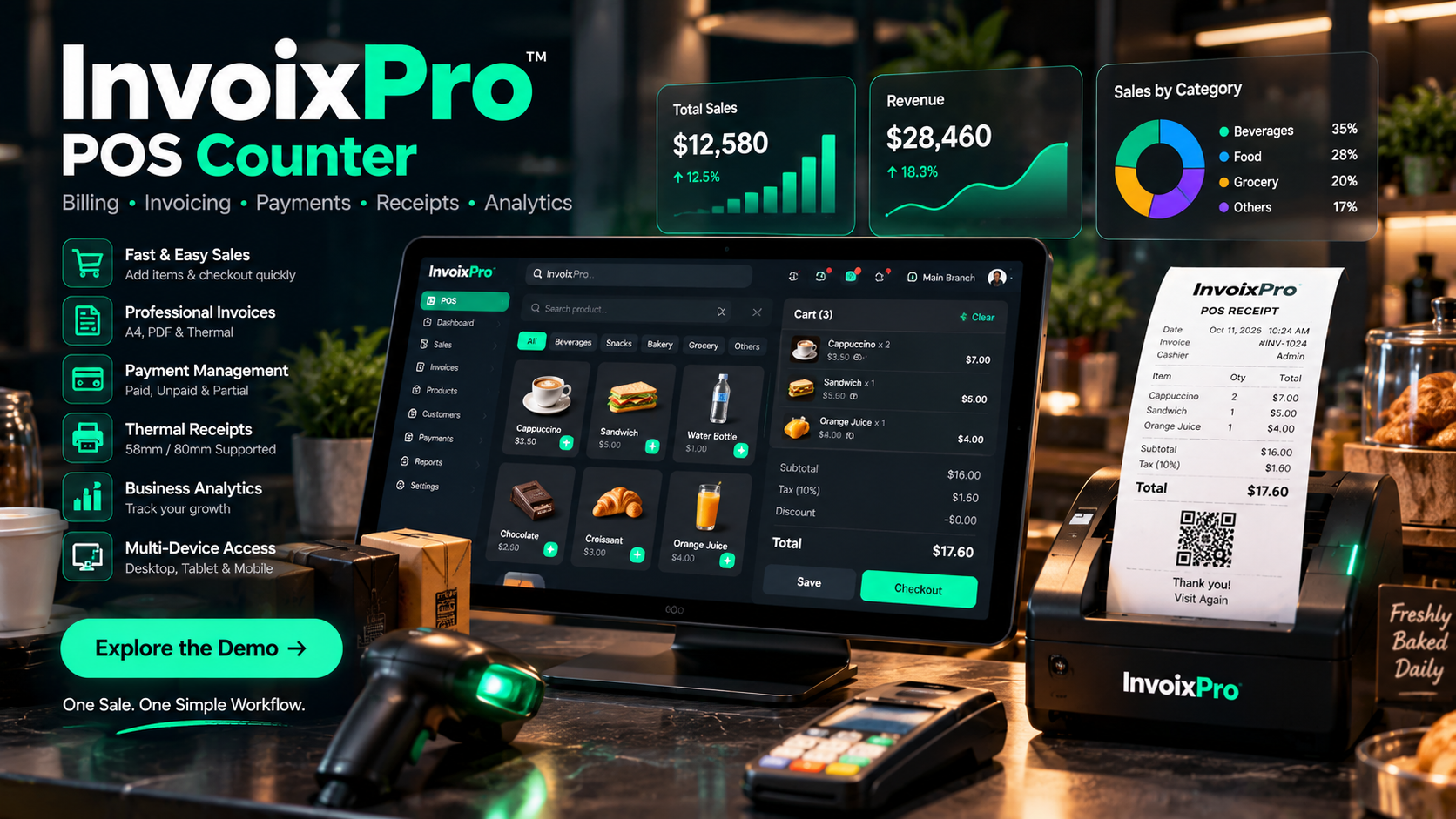
Elevate Your Retail & Business Billing with the New invoixPro POS Module
We are thrilled to announce a game-changing update to invoixPro. While invoixPro has always been your trusted cloud solution for managing professional estimates, digital invoices, recurring billing, and client payments, many of our users requested a seamless way to handle in-person, over-the-counter sales. Today, we bridge the gap between online billing and physical retail with the brand-new POS Counter Module!
What’s New in invoixPro?
1. Modular Addon Architecture (Admin Controlled)
The entire POS system is built as an independent, modular architecture under our extensible addons engine. Business administrators have complete freedom to enable or disable the POS module at any time with zero downtime or database bloat.
2. High-Speed POS Counter Terminal
- Instant Barcode & Keyword Search: Search through inventory instantly or press
/for keyboard-focused quick checkout. - Category Filter Pills: Rapidly switch between product collections with zero lag.
- Optimized Lazy Loading & Image Fallback: Enjoy blazing-fast load times even with extensive product catalogs thanks to native async image decoding and SVG fallbacks.
- Real-time Stock Tracking: Automatically detects unlimited inventory items or warns cashiers when stock is insufficient.
3. Smart Customer Discovery & Auto-Create by Email
Never slow down your checkout queue again:
- Live Autocomplete: Cashiers can search existing customers by name, phone, or email.
- Instant Auto-Creation: Simply type a customer's email or phone number. If they are not in the database, invoixPro automatically registers them on the fly and binds them to the invoice.
- Quick Walk-in Default: Effortlessly toggle back to standard walk-in customer mode with a single click.
4. Dual Thermal Receipt Printing (80mm & 58mm)
Whether you use standard retail thermal receipt printers (80mm) or portable handheld bluetooth receipt printers (58mm), invoixPro generates clean, pixel-perfect ESC/POS-ready thermal receipts with QR verification.
5. Dedicated POS Orders History & Item-Level Search
Manage all counter orders from a specialized dashboard (/user/pos/orders):
- Search orders by specific product items sold, invoice number, customer name, or date range.
- Inspect item-level quantity, unit rates, discounts, and payment status.
- One-click thermal receipt re-printing and standard PDF invoice downloading.
6. Complete POS Financial & Sales Analytics Report
Gain actionable insights into your counter performance with dedicated financial intelligence:
- Revenue & Cash Metrics: Track Gross Sales, Total Collected Payments, Tax, and Discounts Given.
- Outstanding Due Balances: Instantly spot pending or partial counter balances.
- Top-Selling Products: View ranked leaderboards of top-performing items by quantity and revenue generated.
- Payment Method Breakdown: Compare Cash vs. Card vs. Digital Wallet collections.
- Chronological Daily Sales Timeline: Monitor day-by-day counter transactions with ease.
How to Get Started
If your account administrator has enabled the POS Addon, you will see the new POS Counter navigation tab in your sidebar. Open the terminal, start ringing up items, and experience frictionless retail and cloud invoicing combined in one powerhouse platform!